

2027 Pick.Click.Give. Nonprofit Advertising Program: Frequently Asked Questions
About the Program
It is a free digital ad campaign that reaches your donors during PFD season. The goal is to help you retain donors and encourage them to choose your organization again. Our marketing partner, Brilliant Media Strategies (Brilliant Media), creates and runs the ads.
No. The Alaska Community Foundation funds the creative and advertising costs through the 7% Pick.Click.Give. sustainability fee.
No. Participation is optional, and you can decide each year whether to join.
Any nonprofit enrolled in the 2027 Pick.Click.Give. season can participate if it can provide a list of at least 50 donor addresses.
Yes. If this is your first year, you can submit a list from your own donor records, as long as it includes at least 50 donors.
Lists with fewer than 50 donors are too small to target while protecting donor privacy, so we can’t run ads for your organization this year.
This year there is one offering for everyone. Every nonprofit with at least 50 donor addresses gets ads featuring its own logo and photos.
Your Donor List
If you’re a returning nonprofit, submit your Pick.Click.Give. donor list, not your organization’s general donor list. You may combine lists from prior Pick.Click.Give. seasons to increase your list size. If you’re new to Pick.Click.Give., you may submit a list from your own donor records. All lists must include only street address, city, state, and ZIP. See example below.
No. This program focuses on people who have already given to your organization, so please include past donors only.
The State of Alaska releases donor information only to the nonprofit each donor chose. Each season, the Alaska Community Foundation (ACF) delivers your donor list directly to you to download and use as you see fit. Because the list is yours, ACF can’t share it with Brilliant Media. To participate, you opt in and upload it yourself. This also keeps donor names, email addresses, and phone numbers within your organization. You remove them before submitting, so Brilliant Media receives addresses only.
Use a spreadsheet with four columns: address, city, state, and ZIP. If you’re a returning nonprofit, the easiest approach is to start with the spreadsheet you receive from Pick.Click.Give. and delete every other column, including names, email addresses, phone numbers, and contribution amounts. See example below.
| Address | City | State | ZIP |
| 55 Main St | Anchorage | AK | 99501 |
| 123 Main St Apt 4A | Anchorage | AK | 99501 |
| 4801 Bragaw St | Anchorage | AK | 99601 |
Please send one combined file. We’ll remove any duplicates.
Brilliant Media uses addressable geofencing. Your donors’ home addresses are used to draw small geofences, and the ads are shown on mobile devices inside those areas. The ads do not identify individual donors.
We follow data privacy best practices at every step:
- Minimal data. We collect only street address, city, state, and ZIP. We never ask for names, email addresses, or phone numbers.
- Single use. Addresses are used only to deliver your organization’s ads for this campaign.
- No sharing or selling. Addresses are never sold, shared with other nonprofits, or combined with other data.
- Secure handling. Files are stored securely, and only the Brilliant Media staff running the campaign can access them.
- Deletion. All donor address files are permanently deleted within 30 days after the campaign ends on March 31, 2027. Lists are not kept from year to year, so you will submit a new list each season.
The Ads
The ads run as programmatic display ads, the small banner ads you see on mobile websites and apps.
Each participating nonprofit gets ads featuring its own logo and photos. See an example from last year.
The ads run as programmatic display ads, the small banner ads you see on mobile websites and apps.
January 1 through March 31, 2027.
Signing Up
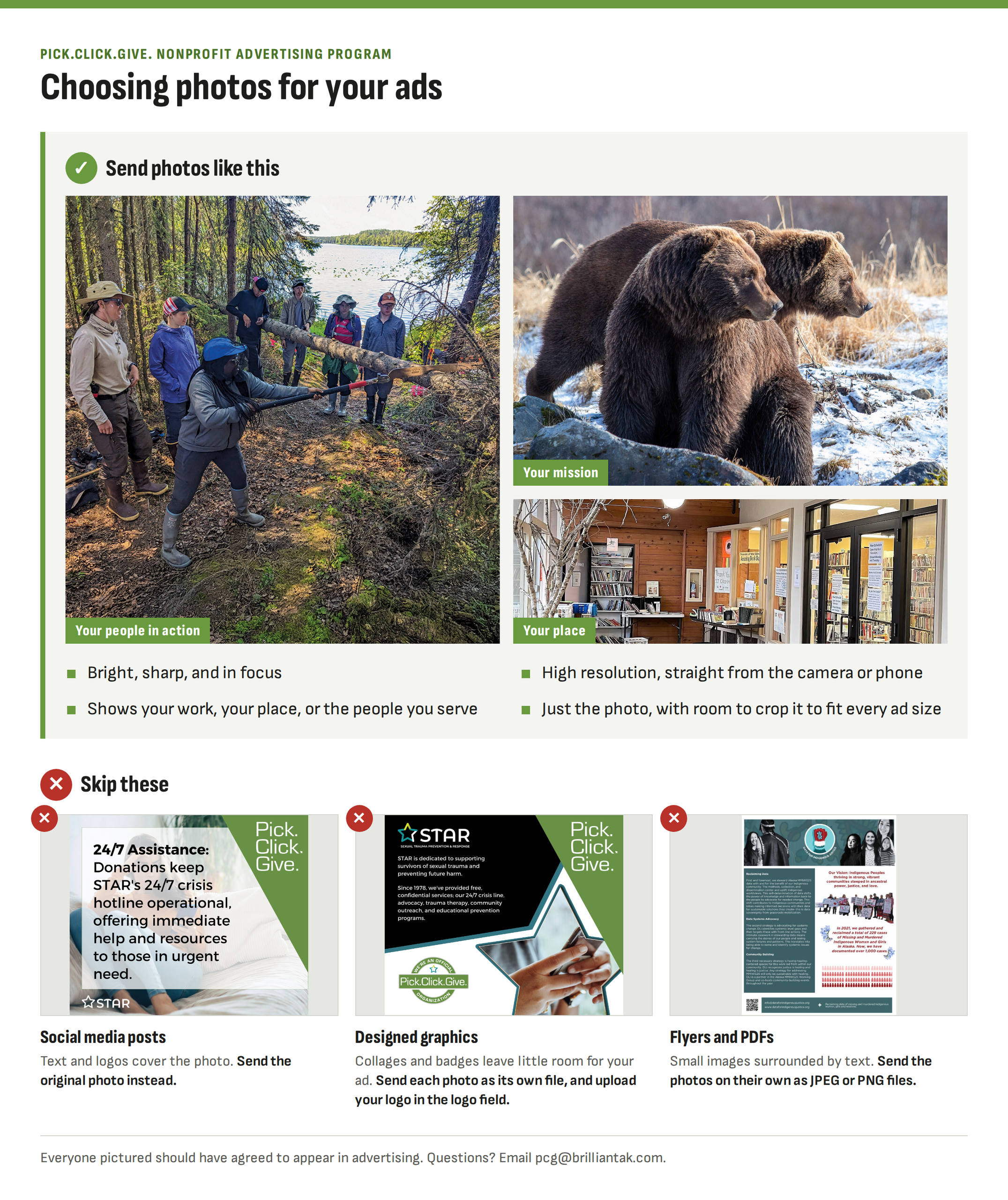
Upload a high-resolution logo and two to six high-resolution photos (JPEG or PNG). The best photos are bright and in focus, show your work or the people you serve, and show faces clearly. By uploading photos, you confirm that everyone pictured has signed a release agreeing to appear in advertising.
Go to https://pickclickgive.org/organizations/advertising and log in with your Pick.Click.Give. nonprofit account. For help logging in or resetting your password, contact the Pick.Click.Give. team at application@pickclickgive.org.
Submit your form by November 15, 2026.
You’ll receive a confirmation email when you submit. Brilliant Media will also follow up in early December if anything is missing. Please submit only one form per organization.
Check your spam folder first. If you still don’t see it, email pcg@brilliantak.com, and we’ll confirm whether your submission came through.
Contact Brilliant Media at pcg@brilliantak.com.